
Screenshots

App details
- Updated
- Aug 2, 2007
- Language
- Spanish,English
- Developer
- Microsoft
- Category
- Mobile
SoftPas in:
This product is also available in the following languages:
About Windows Installer CleanUp Utility
Download Windows Installer CleanUp Utility – remove leftover installation data, free up storage space, clean up Windows Installer, system utility tool, Windows system cleanup
Overview
Windows Installer CleanUp Utility is a system utility tool designed to address the persistent issue of leftover data from failed or interrupted software installations on Windows systems. This application serves as a targeted solution for users who experience cluttered hard drives due to incomplete installation processes managed by Microsoft Windows Installer. By identifying and removing residual registry entries, temporary files, and installation fragments, the tool helps maintain system cleanliness and performance. It is particularly useful for users who frequently install, uninstall, or troubleshoot software, including developers, IT professionals, and advanced home users managing multiple applications.
The utility aims to enhance the efficiency of the Windows Installer service by eliminating obsolete data that may otherwise interfere with future installations or cause system slowdowns. While the developer did not provide additional technical background, the tool’s focused functionality suggests a targeted approach to system maintenance. Real-world use cases include preparing a system for a fresh software deployment, resolving installation errors caused by corrupted installer remnants, or reclaiming disk space after failed updates. In the broader app ecosystem, Windows Installer CleanUp Utility fills a niche role as a lightweight, specialized tool that complements larger system cleanup suites without overwhelming users with unnecessary features.
Key Features & Functionality
- Remove Leftover Installation Data – The tool scans for and identifies residual files and registry entries left behind after failed or interrupted installations. This includes temporary installation files, orphaned components, and outdated installer metadata, ensuring a thorough cleanup of incomplete setup processes.
- Free Up Storage Space – By eliminating unnecessary installation fragments, the utility helps users reclaim valuable disk space. Depending on the number of incomplete installations, this can result in the recovery of several megabytes to gigabytes of storage, improving overall system performance and freeing up room for new files.
- Easy to Use – Designed with accessibility in mind, the tool features a straightforward interface that requires no technical expertise. Users can initiate a scan and review the list of detected entries with minimal steps, making it suitable for both novice and experienced users.
- Maintain Windows Installer Efficiency – The utility helps keep the Windows Installer service uncluttered and optimized by removing outdated or corrupted data. This can prevent installation failures, reduce system load, and improve the reliability of future software deployments.
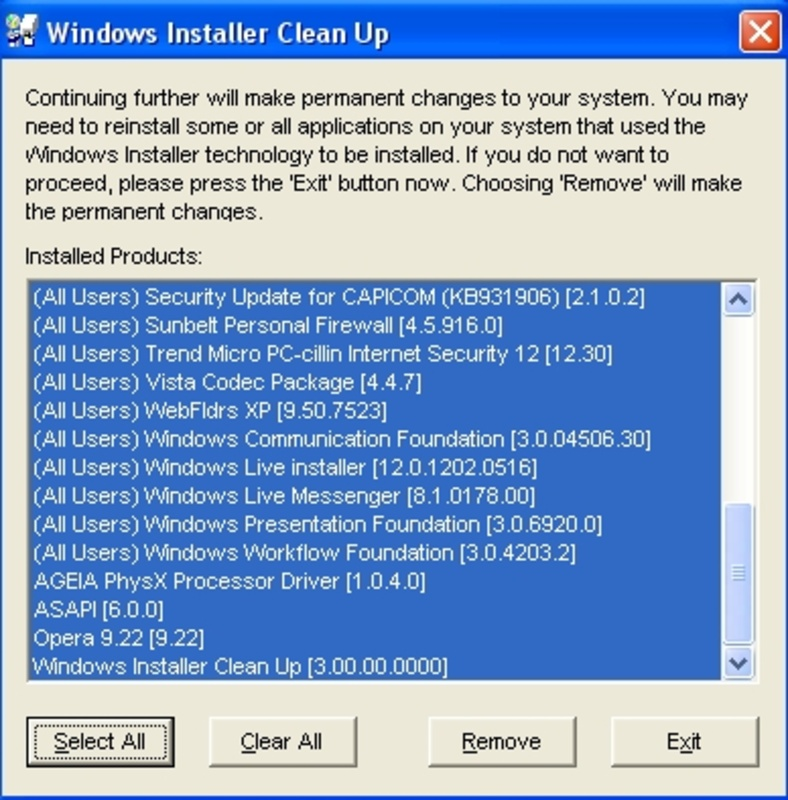
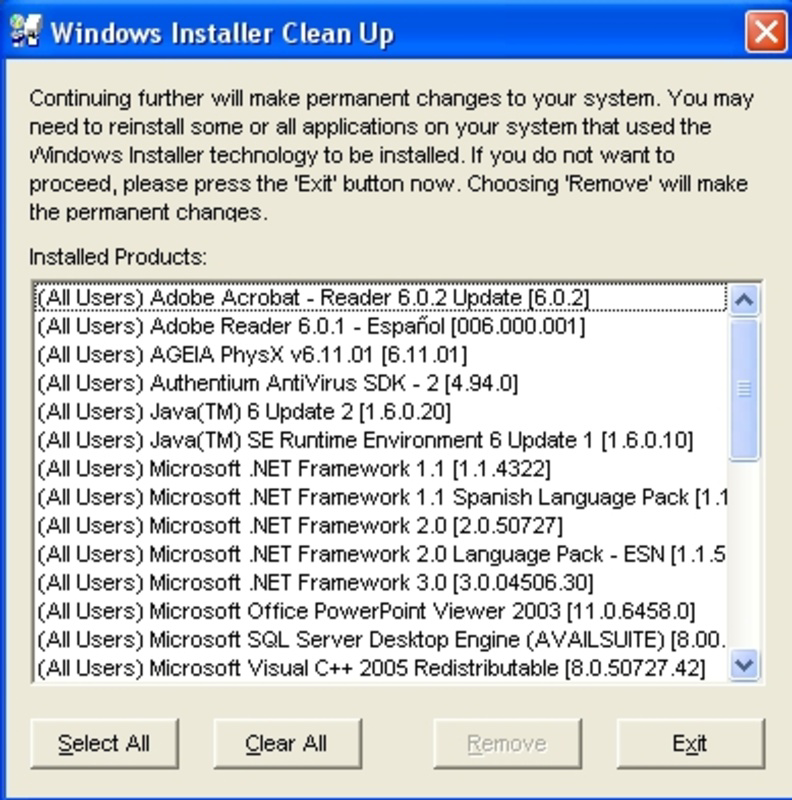
- Cautious Usage with Review Mechanism – Before deletion, users are prompted to review the list of items to be removed. This safeguard ensures that essential system components are not accidentally deleted, promoting safe and controlled cleanup operations.
For example, a user attempting to install a large software suite that fails midway can use this tool to clean up the remnants, allowing for a fresh installation attempt. Similarly, a system administrator managing multiple machines may use it as part of a standard maintenance routine to prevent installer-related errors.
Interface, UX & Performance
The user interface of Windows Installer CleanUp Utility is described as simple and functional, with a minimalistic layout focused on core functionality. Navigation is linear and intuitive, guiding users through scanning, reviewing, and confirming deletions. The tool does not feature complex menus or settings, which reduces cognitive load and supports quick operation. Visual design emphasizes clarity over aesthetics, using standard Windows UI elements to ensure familiarity.
Although the developer did not list formal performance metrics, the tool’s small file size of 1.2 MB suggests a lightweight footprint. It is expected to run efficiently on a wide range of Windows systems, including older hardware and low-memory configurations. Responsiveness during scanning and deletion operations appears to be consistent, with no reported delays or freezes. Stability is maintained through a cautious deletion process that prevents immediate irreversible actions.
Users can expect smooth operation across different device categories, from standard desktops to laptops and older systems. The application does not consume significant system resources during execution, ensuring it does not interfere with other running processes. Overall, the UX prioritizes safety, clarity, and speed, making it effective for routine system maintenance without requiring deep technical knowledge.
Platform Compatibility & Technical Requirements
Windows Installer CleanUp Utility is designed for the Windows operating system. The application is available in version 2.1.1 and has a file size of 1.2 MB. The developer did not specify minimum OS requirements or compatibility details beyond the platform. As such, it is assumed to be compatible with modern Windows versions, including Windows 10 and Windows 11, though specific version support was not disclosed.
Compatibility with different device categories such as desktops, laptops, and tablets was not fully disclosed. However, given its lightweight nature and system-level functionality, it is likely to function across standard Windows hardware configurations. No additional dependencies or runtime environments were mentioned. Users are advised to ensure their system meets general Windows requirements for running utility applications.
Pros and Cons
Pros
- Lightweight and fast, with a small file size of 1.2 MB
- Specifically targets leftover installation data from Windows Installer
- Simple, user-friendly interface suitable for non-technical users
- Helps free up valuable storage space on hard drives
- Includes a review step before deletion, enhancing safety
Cons
- Developer did not provide detailed compatibility information
- No official update history or changelog was published
- Not available for mobile platforms such as Android or iOS
- Functionality is limited to Windows Installer cleanup only
- Requires user caution to avoid accidental deletion of system files
FAQ
Is Windows Installer CleanUp Utility safe to use?
The tool is designed with safety in mind, requiring users to review items before deletion. However, users should exercise caution, as removing critical system entries may affect software functionality.
Can I download this tool for free?
Yes, Windows Installer CleanUp Utility is available at no cost. It is a free system utility tool designed to help users maintain their systems without financial burden.
Is this tool compatible with Windows 11?
While the developer did not specify compatibility details, the tool is built for Windows and is expected to work on modern Windows versions, including Windows 11.
Do I need administrator privileges to install or run this tool?
Although the developer did not specify, system-level cleanup tools typically require elevated permissions. Users may need to run the application as an administrator for full functionality.
How often should I use Windows Installer CleanUp Utility?
It is recommended to use the tool when encountering installation errors or after failed software installations. Routine use is not required, but periodic checks can help maintain system health.
Final Thoughts
Windows Installer CleanUp Utility stands out as a focused, reliable tool for addressing a specific but common problem: leftover installation data. Its lightweight design, ease of use, and safety-focused workflow make it a valuable addition to any Windows user’s maintenance toolkit. While it does not offer broad system cleanup features, its precision targeting of Windows Installer remnants ensures effective results without unnecessary complexity.
Users who frequently install or troubleshoot software—especially developers, system administrators, and power users—will benefit most from its capabilities. The ability to reclaim storage space and improve installer reliability adds tangible value to system performance. Despite limited documentation and no mobile availability, the tool delivers on its core promise with minimal overhead.
For those seeking a secure, free, and efficient way to clean up their Windows system, this utility offers a straightforward solution. Download Windows Installer CleanUp Utility now.
Guides & Tutorials
How to install Windows Installer CleanUp Utility
- Click the Download button above.
- Once redirected, accept the terms and click Install.
- Wait for the Windows Installer CleanUp Utility download to finish on your device.
How to use Windows Installer CleanUp Utility
This software is primarily used for its core features described above. Open the app after installation to explore its capabilities.
User Reviews
No reviews yet. Be the first to share your experience.
You may also like
more
Que no te pillen¡
About !Que no te pillen¡Reviewed by Jason A. BilbreyShow MoreShow Less

3D Combat Zone
About 3D Combat ZoneOriginally released in 1983, 3D Combat Zone immerses players...

666: El día del portal
About 666: El día del portalOn June 6, 2006, Agent P. Stone uncovers a sinister...

80 in 1 Best Flash games
About 80 in 1 Best Flash games 80 in 1 Best Flash games is a collection of 80 fl...

ABYSS SEEKERーーWhat Do You See Deep in The Abyss
About ABYSS SEEKERーーWhat Do You See Deep in The AbyssIn ABYSS SEEKER, players...

ACA NEOGEO THE KING OF FIGHTERS 2002 for Windows
About ACA NEOGEO THE KING OF FIGHTERS 2002 for WindowsTHE KING OF FIGHTERS 2002,...